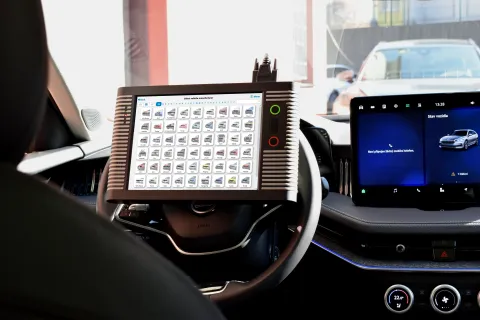
A Security Gateway in a vehicle only makes sense if it distinguishes between verified and unverified access. Modern diagnostics therefore no longer concerns only whether the device can technically communicate with the car. It also matters who uses the device, which device is registered and whether active access exists for the relevant vehicle manufacturer.
For TSPro a Troodon this process is linked to the DevCom diagnostic portal. The portal is used for account management, diagnostic device registration and purchasing access for SGW/SFD unlocking on supported brands.
1. Creating an account on the diagnostic portal
The first step is to create a user account. The user enters a username, e-mail address and password. After successful registration, the system offers the option to add diagnostic devices and then manage them.
Important operational note: after completing registration, at least one diagnostic device must be added to the account. This step must be completed within 14 days; otherwise the account may be deleted.
2. Registering the diagnostic device
Device registration is performed using the serial number and a verification key. The technician must have the device physically available and the DiagCenter diagnostic application running. For TSPro Color and Troodon devices, the device must be connected to the PC on which DiagCenter is running.
This step matters because SGW/SFD access is not meant to be anonymous. Both the vehicle manufacturer and the diagnostic tool manufacturer need to know which device is attempting to perform a protected operation.
3. Purchasing access for the specific brand
After device registration, the portal can be used to manage licences, updates and access for SGW/SFD unlocking. Access types differ by vehicle manufacturer. In practice, two basic models are used: point/credit-based access and time-based access.
Volkswagen Group uses the point or credit-based model. The user purchases points/credits and the relevant number is deducted when a control unit is unlocked. At least 5 points/credits are required to unlock one control unit and 5 points/credits are deducted after each control unit unlocking.
The time-based model is used for other manufacturers. Access can be purchased, for example, for 1 day, 1 week, 1 month or 1 year. For daily access, it is practical that the 24-hour window starts with the first SGW unlocking, not necessarily at the moment of purchase. Weekly, monthly and annual access starts on the purchase date.
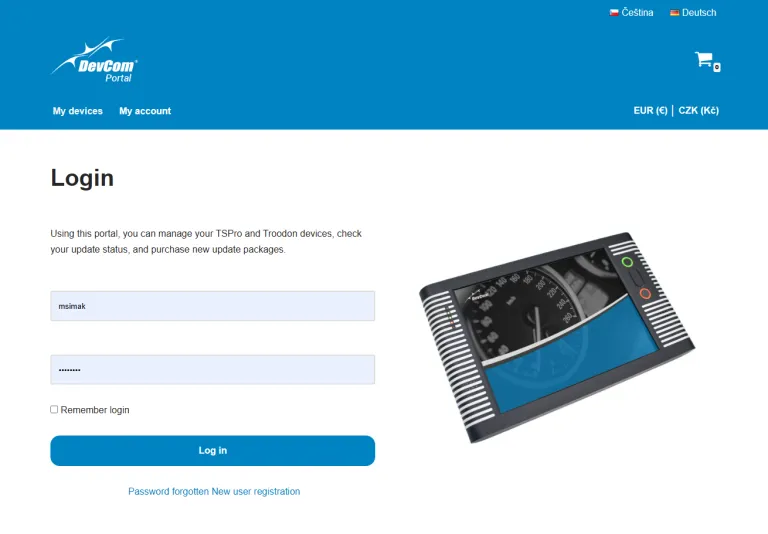
DevCom Portal login screen
How to think about this in normal workshop operation
A small workshop that only occasionally works on modern vehicles may choose shorter access periods according to the current job. A larger workshop that regularly works on newer vehicles will probably prefer longer time-based access or systematic credit management.
The important point is not to leave registration and access purchase until the moment when the vehicle is already in the workshop and the technician needs to complete the service operation. SGW is not a problem if the process is prepared. The problem arises when the workshop encounters it only during an already started repair.
Practical checklist before working on a protected vehicle
- Is the diagnostic device registered on the DevCom portal?
- Is the correct account and user assigned to the device?
- Is the licence or access for the relevant brand active?
- Is an internet connection available if the manufacturer requires it?
- Is the latest version of the DiagCenter diagnostic application running?
- Does the technician know whether unlocking is time-based, point-based or must be maintained by active diagnostic communication?
A correctly configured SGW/SFD unlocking process saves time. The technician does not have to make decisions under pressure and the customer does not receive a vague explanation that “the car will not allow diagnostics”. Instead, the workshop knows what type of protection the vehicle uses, how to unlock it correctly and how to perform the service operation without bypassing security rules.