Supported Functions
- Reading and clearing fault memory
- System parameters
- Actuators
- Steering angle calibration
- Lateral acceleration sensor calibration
The Ford diagnostic tool from DevCom offers basic functions such as reading and clearing faults, as well as several advanced functions listed below.
All this for a total of 14 vehicle models. The latest version of diagnostics for this brand is from 2024 (version Ford Truck v1).
Our diagnostics cover a wide range of Ford models. We support vehicles across all model years and variants, with a high degree of coverage. If you have any questions about a specific model, please contact us. A complete overview of supported models can be found below.
Our diagnostic solutions for Ford vehicles allow you to choose exactly what you need. We offer the powerful TSPro 10 standalone diagnostic tool, the professional Troodon OBD Pro diagnostic interface, or the simpler Troodon OBD Basic, which is also ideal for home use. Troodon diagnostic tools can be connected to any PC or controlled from your mobile phone. All our diagnostic tools are developed and manufactured in Prague, in the heart of Europe.
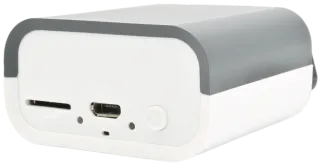
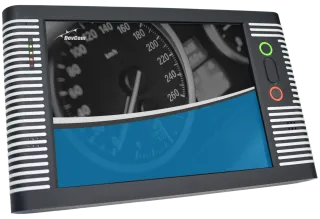
Our diagnostic tools offer a wide range of functions for accurate analysis and service. For the Ford brand, both basic functions such as reading and clearing fault codes and several advanced functions listed below are available.
Daily bread in diagnosing vehicle faults. Review all sensor and control unit data and record changes to easily identify the causes of vehicle faults. Of course, all records can be stored for further analysis.
Injectors are among the most critical components of any engine. For proper engine operation, it is necessary to write their calibration code (IMA) into the engine control unit after replacement. Without correct coding, the engine may run irregularly or the vehicle may not start at all.

The DevCom diagnostic tool for the Ford brand offers the ability to connect to several control units. Their list is provided below.
The engine control unit is a key component for the proper operation of the internal combustion engine. It manages combustion processes, ensures optimal performance, and maintains compliance with emission standards. The ECU responds to driver inputs and current operating conditions through numerous sensors and actuators.
Using diagnostics, it is possible to read and clear fault codes, monitor live data (e.g. fuel pressure, temperatures, engine speed), perform actuator tests (injectors, ignition coils, EGR), initiate diesel particulate filter regeneration, or carry out adaptations after component replacement.
This control unit manages the vehicle’s braking safety systems such as ABS, stability control (ESP), and hill-hold functions. It monitors the condition of individual wheels, braking system activity, and stability interventions during driving.
Diagnostics allow reading of fault codes, viewing sensor data (wheel speed, brake system pressure, pedal position), performing actuator tests, carrying out guided bleeding procedures, and other related functions.
The Body Control Module manages the vehicle’s comfort and auxiliary functions such as lighting, wipers, locking, turn signals, alarm, and remote control. It acts as a central hub for numerous sensors and switches.
Diagnostics allow configuration of functions (e.g. automatic wipers, coming/leaving home), testing of output signals (e.g. relay activation), reading sensor data, coding of new components, and real-time monitoring of input and output states.
This control unit is responsible for activating airbags and seatbelt pretensioners in the event of a collision. It monitors signals from crash sensors and determines when to deploy the protective systems.
Using diagnostics, it is possible to read the event memory (e.g. crash data), check individual circuits (resistance values, open circuits, short circuits), deactivate the passenger airbag, verify seatbelt pretensioner connections, and for certain types, clear crash data or register new components.
The instrument cluster displays essential operational information such as speed, engine RPM, fuel level, fault messages, and service intervals. It is often connected to the vehicle’s central network and serves as the user interface.
Diagnostics allow testing of needles and displays, setting service intervals, configuring displayed information, coding after unit replacement, and reading faults related to the display or communication with other control units.
We will be happy to advise you, assist you, and, if necessary, demonstrate diagnostics in action. Simply fill out and submit the form below.